


Data loss is the number one threat to the survival of small businesses. By 2026, 80% of companies affected by a major IT failure will go out of business within two years. The challenge is no longer just backing up data — it is understanding exactly which assets must be secured to recover quickly.
XEFI helps SMBs identify their priorities to ensure business continuity and protect critical operations.

SMB data backup: what really needs to be secured?
Your business data and customer files
Your customer database is one of your company’s most valuable assets. Losing it can immediately stop invoicing, sales activity, and customer management.
Critical assets to secure:
- Customer databases
- Sales history and inventory records
- Accounting documents and tax files
- Active quotes and signed contracts
- Technical plans and project documentation
Without a reliable SMB data backup strategy, recovering this information can become impossible after a cyberattack or hardware failure.
Your operating systems and configurations
The Main Cyber Threats Facing SMBs in 2026
Backing up files alone is not enough if you want to resume operations quickly. Your complete IT environment must also be protected.
What should be included:
- Operating systems (Windows or Linux)
- Security patches and updates
- ERP and CRM software
- Custom business application settings
- User profiles and permissions
- Employee mailboxes
Real-world example:
If a server is stolen, XEFI can restore your entire environment identically within hours.
Your email accounts and collaboration tools
Many businesses assume that Cloud platforms such as Microsoft 365 or Google Workspace automatically protect all their data. This is incorrect.
The reality:
- Providers guarantee service availability, not long-term data retention
- Human error or malicious emails can permanently delete years of exchanges
- Native recovery options are often limited in time
The XEFI solution:
XEFI adds an external backup layer to protect emails, shared files, and collaborative workspaces.
The 3-2-1 rule for complete security
A single backup is never enough. XEFI follows the internationally recognized 3-2-1 methodology.
The 3-2-1 principle:
- Keep at least 3 copies of your data
- Use 2 different storage media
- Store 1 copy offsite in a secure Data Center
Key information:
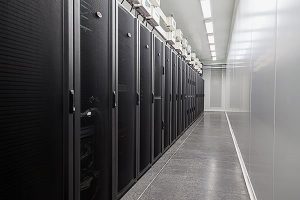
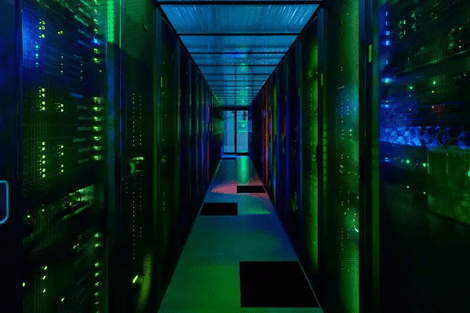
Data protected by XEFI is hosted in France within certified TIER III and TIER IV Data Centers.
Good to know
Why sovereign cloud storage matters
Choosing sovereign cloud storage means your business data remains hosted exclusively in France under French and European regulations.
Benefits include:
- Better compliance with GDPR requirements
- Greater control over sensitive information
- Reduced exposure to foreign legislation
- Enhanced resilience and cybersecurity standards
Immutable backup against ransomware
Today, cybercriminals specifically target backups to prevent businesses from restoring their files without paying a ransom.
What is immutable backup?
Immutable backup technology locks your data for a predefined period. Once stored, backups cannot be modified or deleted.
Why it matters:
Even with stolen administrator credentials, hackers cannot erase your protected backup copies.
This makes immutable storage one of the strongest defenses against ransomware attacks.
FAQ – Securing your business data with XEFI
Why is Cloud backup essential in 2026?
Cloud backup stores your data outside your physical offices. In case of fire, theft, flooding, or electrical failure, your files remain accessible and protected within highly secure infrastructures.
XEFI exclusively uses French TIER III and TIER IV certified Data Centers.
What is the difference between backup and archiving?
Backup creates copies of active data to enable fast recovery after an incident.
Archiving stores long-term documents that are no longer used daily but must be retained for legal or historical purposes.
Does Microsoft 365 automatically back up my emails?
No. Microsoft guarantees infrastructure availability but does not provide long-term protection against accidental or malicious deletion.
XEFI complements Microsoft 365 with external backup solutions for emails and collaboration environments.
What is immutable backup?
Immutable backup is a technology that prevents stored data from being altered or deleted during a defined retention period.
Even ransomware or compromised administrator accounts cannot modify these backups.
How often should backups be tested?
A backup is only reliable if it is regularly tested.
XEFI recommends:
- Daily monitoring of backup success
- Full restoration tests at least twice a year
This ensures your files are truly recoverable during a crisis.
Go Further
- Discover XEFI backup solutions for SMBs
- Video: Our IT expert Laura explains XEFI Cloud solutions