


Every day, dozens of small and medium-sized business owners believe they are protecting their operations with makeshift IT solutions. Data loss is not a problem reserved for large multinational corporations targeted by high-profile cyberattacks. For an SME, a simple technical failure or human error can wipe out years of work in just a few seconds.
The most common mistake is believing your systems are safe simply because they are working today. Anticipating failures is the only effective way to ensure your business can survive unexpected incidents.
Mistake #1: Confusing Cloud Synchronization with Real Data Backup
Many SMEs rely on consumer services such as Dropbox, OneDrive or Google Drive to store business documents. While these synchronization platforms are excellent collaboration tools, they are not true data backup solutions.
Synchronization instantly replicates every change across all connected devices. If an employee accidentally deletes a customer folder or overwrites an important financial document, the deletion is immediately synchronized to the cloud, removing the original everywhere.
The danger becomes even greater during a ransomware attack. These attacks often begin with a phishing email opened by an employee. Once activated, ransomware encrypts every accessible file on the computer. Automatic synchronization detects those encrypted files as legitimate changes and immediately uploads the corrupted versions to your cloud storage, replacing healthy files. Without an independent backup history, your business may permanently lose access to its data.
A professional data backup solution works very differently. It stores multiple restore points throughout the day or week, allowing you to recover clean versions of your files from before the incident. Backup copies are isolated so that malware cannot access or modify them. XEFI Cloud follows this secure architecture to provide maximum protection for your business information.
- Instant synchronization: Spreads human errors and accidental deletions.
- Virus vulnerability: Can synchronize ransomware-encrypted files directly to cloud storage.
- No version history: Prevents restoring earlier versions of documents.
- False sense of security: Appears safe while leaving your business exposed.
Mistake #2: Relying Only on Local Physical Storage
Keeping backup copies on external hard drives, USB flash drives or a NAS server located in your office is common—but highly risky.
This approach creates complete dependency on your business premises. If your office experiences a fire, flood or burglary, both your production systems and your backup copies may disappear simultaneously. Your SME could lose its operational environment and historical data in a single event.
Portable storage devices also suffer from mechanical wear and electronic failures. An external hard drive dropped from a desk can fail instantly. USB drives are easily lost during business travel or infected when connected to unsecured computers. Moreover, these backup routines often rely on manual intervention—someone has to remember to connect the drive every evening, a task frequently forgotten during busy periods.
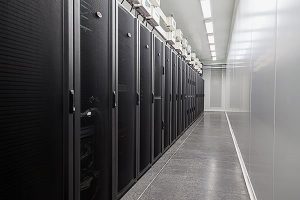
The safest solution is automatic off-site backup within a highly secure environment. Cybersecurity best practices recommend storing at least one backup copy outside your business premises. XEFI delivers this through its network of highly secure data centers. Your files are automatically transferred over your internet connection without requiring any employee intervention, eliminating risks associated with physical media loss or destruction.
- Disaster vulnerability: Fire or flood can destroy both production systems and backups.
- Hardware failure: Consumer-grade external drives can fail unexpectedly.
- Human error: Manual backup procedures are often forgotten.
- Theft risk: Confidential company data may disappear during a burglary.
Mistake #3: Neglecting Regular Data Recovery Testing
Seeing a green “Backup Successful” indicator every morning does not guarantee you’ll recover your files when your server fails.
Backing up data is only half the process—restoration is the critical step. Many companies discover their backups are unusable only when disaster strikes. This usually happens because restoration procedures have never been tested.
Backup files may become corrupted during transmission because of network interruptions. Software can sometimes save empty folders or miss critical databases due to permission issues. Without performing actual recovery tests, these problems remain invisible. Your company continues operating under the false assumption that it is protected.
A serious data backup strategy requires regular recovery testing. XEFI engineers routinely simulate server failures to verify backup integrity and ensure every file can be restored successfully. These exercises also measure the actual recovery time required to resume business operations, ensuring your Disaster Recovery Plan performs exactly as expected.
- Corrupted backups: Files become unusable because of unnoticed technical issues.
- Missing folders: Poor configuration can exclude critical business data.
- No visibility: Backup effectiveness cannot be confirmed without testing.
- Lost time: Valuable hours are wasted attempting emergency repairs.
Mistake #4: Failing to Back Up Employees’ Workstations
Focusing all your backup efforts on the company’s central server while overlooking employees’ laptops is a major strategic mistake. Today, with the widespread adoption of remote work and business travel, a significant portion of company data exists outside the local network. Employees often save quotes, project reports, customer files, and other working documents directly on their desktops or laptops for convenience and faster access.
If one of these laptops is stolen during a business trip, suffers a critical hardware failure, or is damaged by accidental liquid spills, all locally stored data can be lost instantly. Losing these recent documents may delay an important sales opportunity or disrupt an ongoing project. In addition, employee workstations are the devices most frequently connected to unsecured public Wi-Fi networks, making them prime entry points for malware and cyber-espionage attempts.
XEFI’s Cloud infrastructure enables lightweight backup agents to be installed directly on every workstation, whether desktop or laptop. Data created by your employees is automatically backed up whenever the device connects to the internet. This comprehensive protection ensures that your SME’s digital assets remain secure, regardless of where your teams are working. You centralize security without compromising workforce mobility.
- Loss of mobile data: Critical files stored on laptops disappear after theft or hardware failure.
- Remote work risks: External connections are less secure than your corporate network.
- Project disruption: A single device failure can delay important business activities.
- Incomplete protection: A backup strategy that ignores the way employees actually work.
Mistake #5: Entrusting Your Data to a Non-Sovereign Cloud Provider
Selecting a hosting provider without verifying where its data centers are located or under which country’s laws it operates can expose your SME to significant risks. Major public cloud providers based outside Europe may be subject to extraterritorial legislation such as the U.S. Cloud Act. This legislation can allow foreign authorities to request access to data stored by these providers, even when the physical servers are located within Europe. For SMEs, this represents a genuine threat to the confidentiality of sensitive business information and intellectual property.
Beyond legal concerns, foreign cloud platforms often rely on complex and unpredictable pricing models. Charges may depend on storage consumption, API requests, or the bandwidth required to retrieve your own files. These hidden costs make IT budgeting difficult to forecast. In addition, technical support is frequently automated or outsourced, making it harder to obtain fast, expert assistance when your business faces an emergency.
Choosing XEFI’s French Sovereign Cloud provides a clear answer to these challenges. Our data centers are located exclusively in France, ensuring that your information remains protected under French and European legislation, fully compliant with GDPR requirements. Our infrastructure is backed by leading certifications, including ISO 27001 and HDS certification for healthcare data hosting. You also benefit from transparent fixed pricing and responsive local technical support delivered by nearby XEFI agencies.
- Cloud Act exposure: Potential access to your confidential business data by foreign authorities.
- Unpredictable costs: Additional fees for bandwidth, storage, and data retrieval.
- Impersonal support: Difficulty reaching a qualified technician during critical situations.
- GDPR compliance risks: Legal exposure when personal data is stored outside the European Union.
FAQ: Essential Answers for Protecting Your SME
What is the 3-2-1 backup rule?
The 3-2-1 rule is the industry standard for cybersecurity and data backup. It recommends maintaining three copies of your data, stored on two different types of media (for example, a server and a cloud platform), with at least one copy kept off-site to protect against physical disasters.
Why is HDS certification important, even for businesses outside healthcare?
The Health Data Hosting (HDS) certification is one of the most demanding security standards available. It validates both the physical and digital security of a data center. By choosing an HDS-certified provider such as XEFI, your commercial and financial data benefits from enterprise-grade protection that exceeds the requirements of most businesses.
What happens if I pay the ransom after a ransomware attack?
Paying the ransom is strongly discouraged. Cybersecurity experts and public authorities agree that payment never guarantees you’ll receive a working decryption key. Worse still, it identifies your business as a profitable target, increasing the likelihood of future attacks. A secure data backup remains the only reliable way to recover your operations without negotiating with cybercriminals.
Action Plan for Your SME
Avoiding these five critical mistakes lays the foundation for a resilient business capable of withstanding digital threats. Data backup should no longer be treated as a secondary technical task—it is a business continuity strategy.
To strengthen your protection today:
- Inventory every workstation and server that requires protection.
- Replace external hard drives and USB devices with an automated backup solution.
- Choose a sovereign hosting partner based in France to ensure GDPR compliance.
- Schedule a full backup restoration test with your IT provider.
Don’t Wait for an Incident to Discover Your Weaknesses
XEFI’s experts provide a free backup infrastructure assessment to evaluate the reliability of your current backup strategy and identify any vulnerabilities before they become business-critical.