


Every day, hundreds of small and medium-sized businesses lose critical files. One click on a malicious link, a hard drive failure, or the theft of IT equipment can be enough to bring operations to a halt.
Yet most SMB leaders underestimate the fragility of their current systems. Assuming your data is safe simply because your company is small is the first mistake.
Data loss does not only happen to others—it represents a serious threat to your business continuity.
The Illusion of Security: Common Data Backup Mistakes in SMBs
Many SMB owners believe they have an effective backup strategy when, in reality, they rely on manual and outdated methods.
The confusion between simple storage and a genuine automated data backup solution is widespread. Using an external hard drive plugged in at the end of the week is not a security policy. It is a risky habit that creates a false sense of protection.
If a fire or burglary affects your premises, the hard drive sitting on a desk disappears along with the primary computer.
Another common practice is relying on consumer-grade synchronization tools such as Dropbox, Google Drive, or OneDrive without professional configuration.
These platforms are excellent collaboration tools, but they are not designed to protect against ransomware attacks.
If malware encrypts files on a workstation, synchronization immediately spreads the damage. Corrupted files are copied to the cloud, replacing healthy versions and making your documents inaccessible across all devices within seconds.
Lack of consistency is another major issue for small businesses.
A backup only has value if it is recent.
When the process depends on manual intervention, mistakes are inevitable. Vacations, urgent priorities, and simple oversight often result in outdated backups.
Many companies discover that their last usable backup is several months old precisely when a system failure occurs.
The final mistake is failing to test data recovery.
Having backups is useless if you cannot restore them after an incident.
When disaster strikes, organizations sometimes discover that copied files are corrupted or unreadable.
Without regular restoration testing conducted by qualified IT professionals, your backup strategy remains purely theoretical.
Common Backup Mistakes
- Simple local storage: a major risk in case of fire, theft, or disaster.
- Real-time synchronization: a gateway for ransomware and malware propagation.
- Manual processes: highly dependent on human reliability.
- No recovery testing: discovering unusable backups when it’s already too late.
Real Threats Facing Your Business Data Every Day
Real Threats Facing Your Business Data Every Day
The risks affecting SMB IT environments are numerous and often unpredictable.
1. Human Error
Accidental deletion of client folders, files, or databases occurs more often than many companies realize.
Without a backup solution that maintains version history, deleted documents may be lost permanently.
The larger the volume of data handled by employees, the greater the likelihood of mistakes.
2. Hardware Failure
Hard drives and storage devices have a limited lifespan.
A dropped laptop, a spilled coffee, or a power surge caused by a storm can destroy equipment in seconds.
If your only copy of accounting records or customer information resides on that device, your business operations can stop immediately.
3. Cyberattacks and Ransomware
Cybercriminals increasingly target small and medium-sized businesses.
They know SMBs generally have fewer security resources than large enterprises.
Ransomware remains one of the most common attack methods.
A malicious email is often all it takes to infect an organization.
Once activated, the malware locks access to computers, servers, and critical business data.
Attackers then demand payment in exchange for a decryption key.
Paying the ransom never guarantees data recovery.
Only an isolated external data backup can ensure business continuity.
4. Physical Disasters
Fires, floods, and burglaries happen without warning.
These incidents can destroy both your equipment and all locally stored data.
Without an off-site backup hosted in a secure data center, rebuilding operations may become impossible.
Main Risks
- Accidental deletion of files.
- Hard drive and server failures.
- Ransomware attacks.
- Fire, flooding, or theft.
Financial and Legal Consequences of Data Loss
Data loss has an immediate impact on cash flow.
Business Interruption
Without access to files:
- Employees cannot work.
- Orders cannot be processed.
- Invoicing becomes impossible.
Every hour of downtime translates directly into lost revenue.
Fixed costs such as salaries and rent continue to accumulate while operations remain suspended.
Data Reconstruction Costs
Rebuilding customer databases, re-entering accounting records, or recreating technical documents can require hundreds of hours of work.
Some information can never be recreated. Historical email exchanges, project photos, audit reports, and years of accumulated knowledge may disappear permanently.
Regulatory Compliance Risks
Under the General Data Protection Regulation (GDPR), organizations are legally required to ensure the security and availability of personal data.
Losing customer or employee records due to negligence may expose a company to significant financial penalties.
Failure to maintain compliant backup procedures is heavily sanctioned during regulatory audits.
Loss of Trust
Perhaps the most damaging consequence is the loss of credibility.
Informing a client that their records have disappeared or delaying a delivery due to IT failure can seriously damage your reputation.
Customers quickly turn to competitors they perceive as more reliable.
Main Consequences
- Business disruption.
- High reconstruction costs.
- Regulatory fines.
- Reputational damage.
The XEFI Method: Secure Your SMB Easily and Efficiently
Protecting an SMB requires moving beyond manual solutions and adopting a professional, standardized strategy.
The international best practice is the 3-2-1 backup rule:
- 3 copies of your data.
- 2 different storage media.
- 1 copy stored off-site.
XEFI has designed its solutions to apply this principle automatically, transparently, and without requiring daily employee intervention.
Full Automation
Backup agents installed on your systems automatically transfer data to our infrastructure according to a predefined schedule.
No manual action is required.
The system operates quietly in the background during evenings or low-activity periods.
Encryption at Source
Data is encrypted before it leaves your organization.
This guarantees confidentiality during both transmission and storage.
Only authorized users can access the information.
French Sovereign Cloud
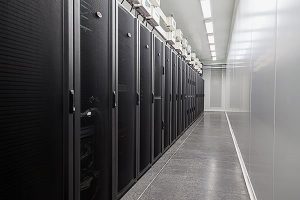
Data is stored exclusively in XEFI-owned data centers located in France.
By choosing a sovereign cloud solution, your information remains protected under French and European legislation.
Our infrastructures comply with the highest industry standards, including:
- ISO 27001 certification for information security.
- HDS certification for healthcare data hosting.
Human Monitoring and Recovery Testing
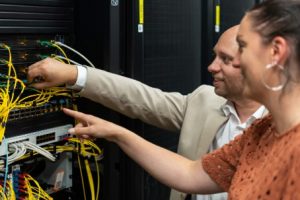
Our experts monitor backup reports every day.
If an anomaly occurs on a workstation or server, corrective action is taken immediately.
We also perform regular recovery simulations to validate restoration speed and efficiency.
In the event of a real incident, your business can resume operations within minutes.
Key Benefits
- Fully automated backups.
- End-to-end encryption.
- French sovereign cloud hosting.
- Continuous expert supervision.
FAQ: Essential Questions About Business Data Backup
What is the difference between cloud storage and backup?
Cloud storage solutions such as Google Drive synchronize files in real time.
If a file is deleted or infected, the change is immediately replicated everywhere.
A backup solution maintains historical versions of your files, allowing recovery to a clean state before an incident or cyberattack.
How long does it take to restore data after a failure?
Recovery time depends on data volume and the chosen solution.
Traditional approaches may require several days.
XEFI solutions include a Disaster Recovery Plan (DRP), enabling virtual servers to restart in our data centers so employees can resume work in less than one hour.
My company is small. Am I really a target for hackers?
Yes. Cybercriminals use automated tools that scan the internet for vulnerabilities.
They do not target your business because of its name but because of exposed weaknesses.
SMBs are often ideal targets because they rarely have dedicated IT security teams.
Next Steps for Your SMB
Neglecting data backup exposes your business to the risk of permanent operational shutdown.
Manual methods and consumer-grade storage solutions are no longer sufficient against modern threats.
To strengthen your protection today:
- Identify all business-critical files and applications.
- Eliminate manual backup processes.
- Implement the 3-2-1 backup strategy with an off-site copy hosted in France.
- Have an IT expert test the actual recovery of your systems.
Act Before It’s Too Late
A XEFI expert can perform a free assessment of your current backup environment and identify potential vulnerabilities.
Further Reading